Recognize a teammate without leaving Slack.
Type /valori anywhere in Slack. Pick a teammate, say what they did and why it mattered, and add points and tags. It’s saved to Valori instantly.
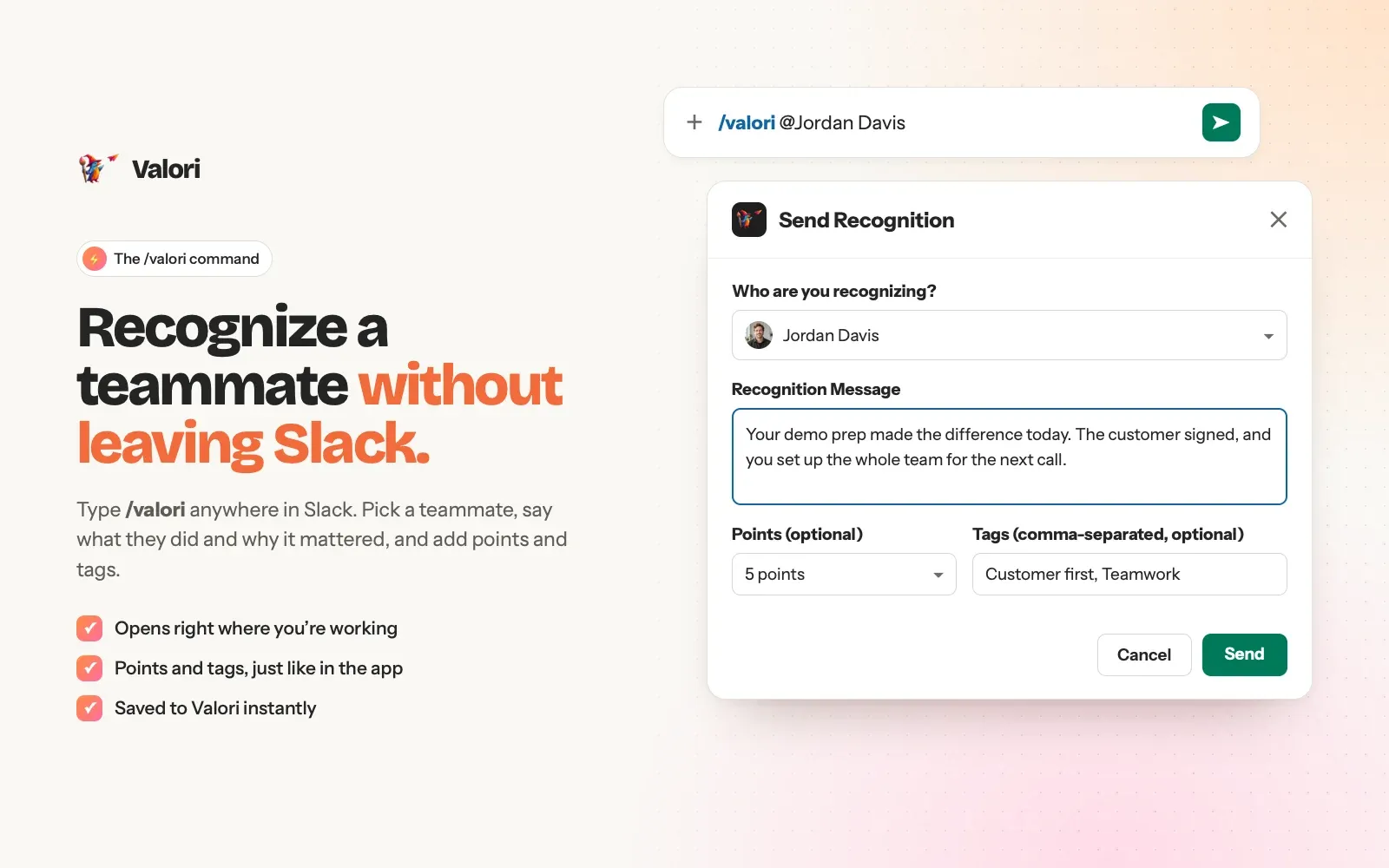
Send recognition with /valori, celebrate it in your team channel, and keep every win in Valori, where it becomes part of each person’s portfolio.
Requires a Valori workspace. New teams get 21 days free.
Type /valori anywhere in Slack. Pick a teammate, say what they did and why it mattered, and add points and tags. It’s saved to Valori instantly.
Every recognition posts to the channel your admin chooses. Teammates react and comment right from the message, or open it in Valori with one click.

Recognition sent from Slack lands in the Valori feed and in each person’s Valori portfolio, alongside their awards and certificates.

Sign in as a Valori admin. Connecting Slack is an admin step, so your workspace stays in your control.
Slack asks you to review Valori’s permissions. Approve, and you’re returned to Valori with a confirmation.
Pick where recognitions should post, such as #team-wins, and send a test message to see it.
Anyone with a Valori account using the same email address as their Slack profile can recognize teammates from Slack.
Valori doesn’t read your channel messages. Learn how we handle Slack data in our Privacy Policy.
Email support@valoriapp.io and we’ll get back to you within two business days.